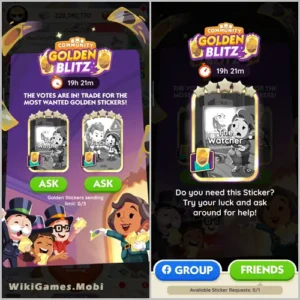
You can trade Monopoly Go Gold Stickers, but only when the Golden Blitz event is active. It often occurs, but there’s no fixed schedule, so when it will arrive next is anyone’s guess. When it is featured, here’s how to trade cards.
How To Trade Monopoly GO Gold Stickers?
- Open Monopoly Go!
- Click on the Golden Blitz event icon.
- A list of stickers will appear, with a “Send” option underneath each.
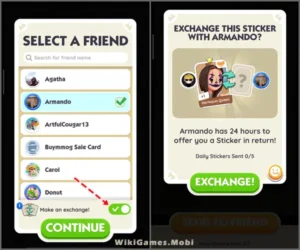
- Click “Send” for the sticker you want to trade.
- Select your friend from the friend list.
- Wait for your friend to respond.
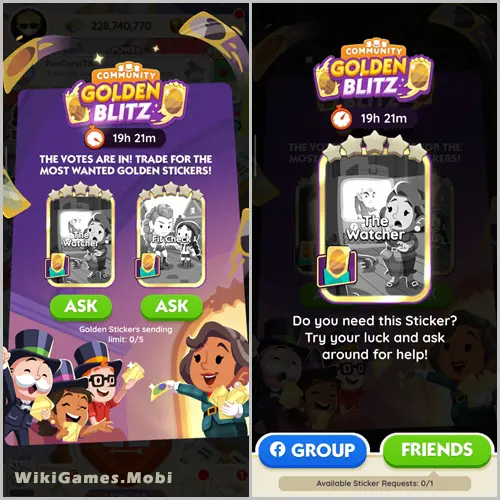
There is a limit of five cards per day. Be mindful of scams; if you’re trading with friends, you’re safe, but it can be risky with strangers online. At least if your friends deceive you, you can confront them in person.
Why Can’t I Trade Monopoly GO Gold Stickers?
You can only trade Gold Stickers if a Golden Blitz event is active. During Golden Blitz, two gold cards will appear, allowing you to freely trade them with others as you would a regular sticker.
However, this is only available for 12-hour periods and typically occurs a few times a month. In other words, there is a possibility you’ll miss the chance to trade your gold card. Keep an eye on your in-game Monopoly GO events to make sure you don’t miss them.